

Quick Summary
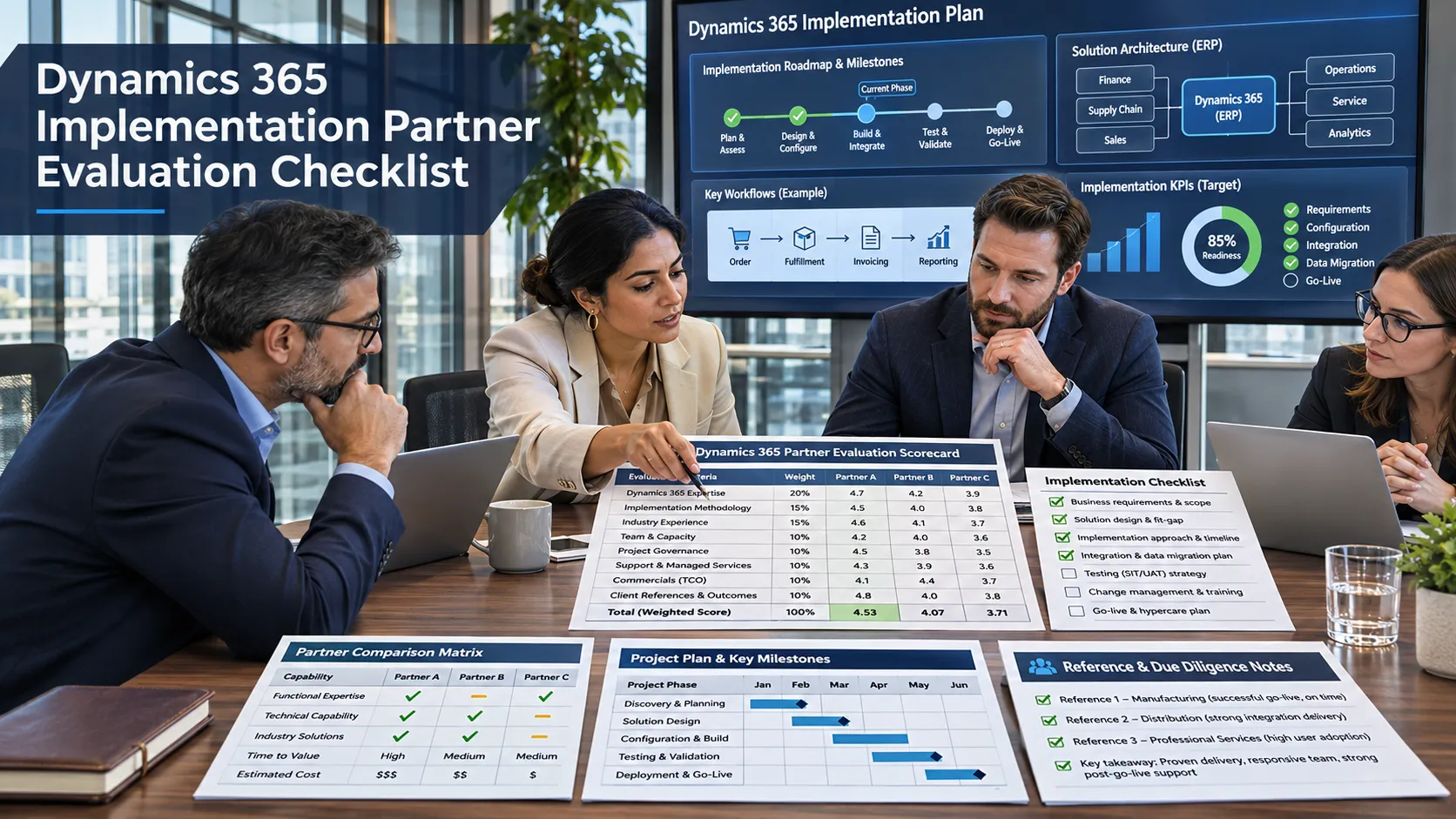
Score every Microsoft Dynamics 365 partner on the same criteria, use your own scenarios in demos, and check references before you sign. This checklist gives you six blocks of questions, a reference call script, a statement of work review list, red flags, and a weighted scorecard you can use as it is.
How to Use the Checklist and Scorecard
- Choose weights. Decide how much each block matters to you, for example, from 1 (low) to 5 (high).
- Score each partner. Rate each criterion from 1 to 5 using the questions below and the evidence you collect.
- Record evidence. Note what you saw or heard, not only the score.
- Multiply and total. Score times weight gives you a number for each criterion. Add them up.
- Discuss differences. Use the totals as a start for a discussion, not a final answer.
Use the same people, the same questions, and the same scoring scale for every partner.
Block 1: Company and Credentials
- ☐ Which Microsoft partner designations do you hold for business applications? Can you show them?
- ☐ How long have you worked with Dynamics 365, and which apps?
- ☐ How many people do you have on the apps we will use?
- ☐ Which of your consultants hold Microsoft certifications for these apps?
- ☐ How is the company financed, and how stable is it?
- ☐ Do you have any conflicts of interest with other vendors?
Check the current designation names and requirements on Microsoft’s partner pages.
Block 2: Experience and References
- ☐ Which customers in our industry have you worked with?
- ☐ Which customers of our size and complexity have you worked with?
- ☐ How many projects like ours are live?
- ☐ Can we speak to at least two customers?
- ☐ What was the hardest part of a recent project, and what did you learn?
Reference Call Script
Ask each reference:
- What did the partner do well?
- Who was on the team, and did the team stay the same?
- Were there surprises in scope, cost, or timeline? How were they handled?
- How were data migration and integrations handled?
- How good was the training and the support after go-live?
- Would you hire them again, and what would you change?
Block 3: Team and Method
- ☐ Who will lead our project, and who will work on it? Can we meet them?
- ☐ What roles are in the team, and what is the time commitment?
- ☐ What happens if a key person leaves?
- ☐ Which methodology do you use, and how does it align with Microsoft’s guidance?
- ☐ What governance do you propose: reviews, steering committee, or reporting?
- ☐ How are changes to scope requested, priced, and approved?
Block 4: Technical
- ☐ How will you integrate with our existing systems, and who maintains the integrations?
- ☐ How do you plan, test, and reconcile data migration?
- ☐ When do you recommend customization instead of standard features or an add-on app?
- ☐ How do you handle upgrades and Microsoft updates after go-live?
- ☐ How do you approach security design and segregation of duties?
- ☐ How do you manage environments, source control, and releases?
- ☐ How do you test, and who signs off on user acceptance?
For a broader review of project readiness, refer to our Dynamics 365 implementation checklist
Block 5: Commercial
- ☐ What is the pricing model: fixed price, time and materials, or phased?
- ☐ What is included, and what is excluded?
- ☐ What assumptions does the estimate rely on?
- ☐ How are change orders handled, and what do they typically cost?
- ☐ Who owns the deliverables, such as documentation, code, and configuration?
- ☐ What are the terms for ending the engagement and transferring knowledge?
- ☐ What do you need from our team, and for how many hours?
Block 6: Support After Go-Live
- ☐ What hypercare is included, and for how long?
- ☐ What support options exist after hypercare, and what do they cost?
- ☐ What are the response expectations for issues of different severity?
- ☐ Who supports us, and do we know them?
- ☐ How do you handle regular Microsoft updates?
- ☐ Do you offer managed services or training for our team?
Scripted Demo: What to Test
Give each partner the same scenarios a few days before the demo, and ask them to show them in the system. Good scenarios include:
- a typical order or invoice from start to finish
- an exception your team often deals with
- a report that your finance team needs
- a data load and how errors are shown
- an integration you depend on
Watch how the partner handles the difficult cases. A partner who says yes to everything without showing it, or who avoids your scenarios, tells you something about how the project will run.
Evidence to Request
Do not rely on what is said in meetings. Ask for:
- a current Microsoft partner status
- anonymized project plans or sample deliverables
- CVs or profiles for the proposed team
- a sample statement of work
- a sample test plan and training plan
- two or more references that you can call
Example Weights
Weights should reflect your project. For example, a company with many integrations may give integration and data migration a weight of 5 and commercial terms a weight of 4. A company with a small internal team may weight support after go-live and training more highly. Agree the weights with your sponsor before the first meeting, so nobody adjusts them after seeing the scores.
How to Run the Comparison Meeting
- Ask each reviewer to score on their own first.
- Compare scores criterion by criterion.
- Discuss large differences, and ask what evidence each person used.
- Agree on final scores and record the reasons.
- Write a short recommendation for management, with the scorecard attached.
Statement of Work Review List
Check the statement of work for:
- ☐ a clear scope with explicit exclusions
- ☐ deliverables and acceptance criteria for each
- ☐ assumptions that match what you were told
- ☐ named roles and, where possible, named people
- ☐ a plan with milestones and dependencies
- ☐ the client’s responsibilities, written down
- ☐ a change control process
- ☐ commercial terms, payment milestones, and how overruns are handled
- ☐ data protection and confidentiality terms
- ☐ termination and transition terms
Red Flags
- The partner agrees to every request without discussing trade-offs.
- The estimate has no assumptions.
- The team is not named or changes after signing.
- References are not available or are not comparable.
- You are pressed to sign quickly.
- There is no plan for data migration, testing, or training.
- The statement of work is vague about scope and open-ended on change.
- Support after go-live is unclear.
Scorecard
Score each partner from 1 to 5. Multiply by the weight. Add the totals.
A scorecard does two jobs. It keeps the comparison fair, because every partner is judged on the same points, and it gives your sponsor a clear record of why you chose one partner over another. Keep a copy of the completed scorecard with your project documents, because it is also useful later, when you review how the partner performed against what it promised.
| Criterion | Weight | Partner A | Partner B | Partner C |
|---|---|---|---|---|
| Company and credentials | ||||
| Industry and size experience | ||||
| References | ||||
| Team and named resources | ||||
| Method and governance | ||||
| Integration and data migration | ||||
| Customization and ISV approach | ||||
| Commercial terms and change control | ||||
| Support after go-live | ||||
| Total |
For an explanation of the framework behind this scorecard, read how to choose a Dynamics 365 implementation partner.
Download the Scorecard
Get this checklist and scorecard as an editable spreadsheet with weights and totals built in.
Next Step
If you want to see how KAISPE answers these questions, read about our Microsoft Dynamics 365 partner services.
Conclusion
A partner evaluation works best when it is structured. Use the same questions for every candidate, collect evidence and check references and the statement of work carefully.
The scorecard turns opinions into a record you can show management, and the checklist ensures you ask the questions that matter.
S
FAQs
Ask about similar customers, the named team, the project method, integration and data migration, the customization and ISV approach, change control, and what happens after go-live. The checklist blocks in this guide give you a full list.
Score every partner on the same criteria, use your own scenarios in demos, speak to references of similar size, and review the statement of work line by line. A weighted scorecard keeps the comparison fair.
Scope and exclusions, deliverables, assumptions, roles and named resources, the plan and milestones, the client’s responsibilities, acceptance criteria, change control, commercial terms, and how the engagement ends or transitions.
Ask for customers of similar size, industry, and scope, and speak to them directly. Ask about the team, the surprises, how changes were handled, and the support after go-live. The reference call script in this guide gives you the questions.
Microsoft recognizes partners through Solutions Partner designations, including one for business applications. Check the current designation names and requirements on Microsoft’s partner pages and ask the partner to show its status.
Compare scope, assumptions, named team, method, integration approach, support after go-live, and how scope changes are handled, not just price. Put the results in a scorecard so management can see the reasoning.