
Quick Summary
Selecting the right practice management software means upgrading to a whole new, optimized set of daily operations and efficiently managing all financial processes. Proper software should support tasks such as billing, claims, and EHR integration in the long run.
What Is Practice Management Software and How Does It Work?
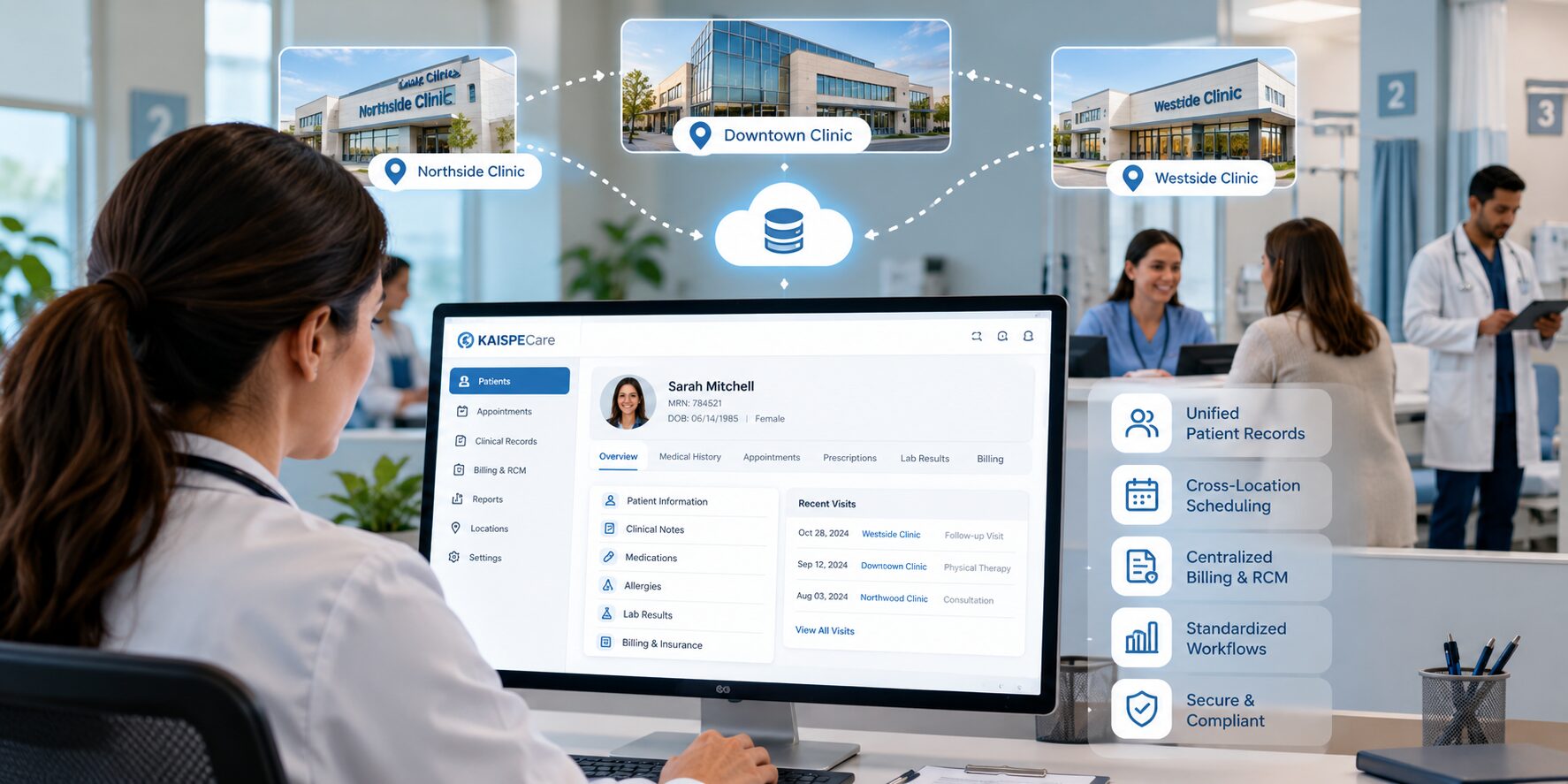
In simple terms, practice management software is a digitized solution for healthcare practices. It manages daily administrative and financial activities through a centralized system. Its core features typically include patient registration, appointment scheduling, and payment tracking. It should also provide security while handling sensitive patient data and easily integrate into the existing systems.
This central hub aids in operational efficiency by minimizing the menial data entry required as well as streamlining billing workflows. This reduces the chances of missed appointments and adds a level of efficiency to scheduling. So, it reduces time-consuming repetitive tasks so the administrative team can properly focus on supporting patients along with clinical staff.
Essential Practice Management Software Features to Look For
Read Our Blog: What If Your Clinic Had an AI Agent Handling the Admin Work? Meet Hayan
A robust practice management solution shouldn’t just maintain your current operations- it should optimize your workflows for maximum efficiency.
- Patient Scheduling and Appointment Management
A good medical practice management software makes the booking process easier and helps manage appointments that improve both administrative and patient experiences.
- Medical Billing, Claims, and Payment Processing
Medical billing and claims directly influence the financial performance of clinics. Automated workflows reduce repetitive workloads and proactively identify missing information before claims are submitted.
- Seamless EHR Integration for Better Data Connectivity
Practices mostly include both administrative and clinical technologies, raising the need for an EHR integration system. With the help of healthcare practice management software that supports EHR integration, data inconsistencies can be reduced, and it completely eliminates the need for duplicate data entry.
- Advanced Reporting, Analytics, and Data Security Features
Practice management software should also have a reporting and analytics tool that keeps you updated with both operational and financial metrics. Security is equally important in the software, as it handles important information of the clinics and provides role-based access.
How Practice Management Software Streamlines Scheduling and Patient Management
Practice management software plays a major role in simplifying tasks and helps users with everyday tasks. This removes the need to check multiple spreadsheets, make daily phone calls, and separate calendars. The staff can access everything through a centralized system that gives them better visibility and helps them know about upcoming events.
Along with automated scheduling, cloud practice management software should incorporate patient registration and information of registration in one place. This way, relevant information can be easily fetched along with updating of records. A better scheduling process means less waiting time for customers and the ability to communicate better with the clinic.
Enhancing Financial Visibility and Revenue Cycle Management with KAISPECare
In healthcare, billing involves much more than simply creating invoices; it requires managing complex insurance data and carefully coordinating patient charges. There are chances of small errors when these tasks are done manually, which can lead to tedious, time-consuming work. So, practice management software centralizes this information and provides better financial visibility while keeping everything organized.
Improving Financial Visibility Across the Revenue Cycle
With the help of better visibility throughout the revenue cycle with practice management software, it should be easy to detect where the payments are being delayed. It also includes real-time dashboards that help practice managers understand revenue trends and review debt dues.
Optimizing Revenue Cycle Performance and Payment Collection
Having an efficient revenue cycle management system means that it should cover the whole process, starting from initial patient charges until the end of collection. These automated workflows should help administrative teams ensure that no follow-ups are overlooked.
Integrating Practice Management Systems With EHRs and Other Healthcare Tools
When healthcare practices rely on multiple systems, their financial and administrative operations become disconnected, forcing staff to re-type the same information multiple times. By integrating a practice management system with healthcare applications, including EHRs, the whole environment is under your control with better connectivity.
Connecting Practice Management Software With EHR Systems
The connection between practice management software and EHR systems results in better administrative and clinical connections. Relevant data on patient demographics and appointment information can be shared while reducing tedious tasks.
Supporting Secure Access to Patient Information
One of the most crucial aspects a good practice management software should have is good regulations regarding customer data security. There should be role-based access controls that help manage what each user can see and control without worry.
Simplifying Multi-System Reporting and Decision-Making
By integrating this into the system, everything can stay connected. This way, managers can work with more consistent data while reviewing trends and identifying areas that require more attention.
How KAISPE Helps Healthcare Practices Modernize Practice Management
An all-in-one tool is required that connects all essential departments while removing the tedious tasks that have a higher chance of overlooked errors. This is where KAISPECare comes in and operates as a secure, cloud-based practice management software solution. This solution provides family profiles, appointment scheduling, and ensures team coordination. It is built utilizing technologies such as Power Apps and Microsoft Copilot. It can definitely be said that KAISPECare values its clients and is one of the best AI-Powered Outpatient Clinic Software
Conclusion
The right practice management software is a system that supports all of your administrative, financial, and operational needs and simplifies them. To stay connected with the times, efficient software is required that caters to all needs that evolve with the times. Therefore, KAISPECare software is the right solution and makes the practice easier, while leaving the teams with time to focus on delivering quality patient care with ease.
FAQs
1. What is practice management software?
Practice management software is a digital solution that helps healthcare practices manage administrative, financial, and operational activities. It can support tasks such as appointment scheduling, patient registration, billing, claims management, payment tracking, and reporting.
2. What features should you look for in practice management software?
Important features include patient scheduling, appointment management, medical billing, claims processing, payment tracking, EHR integration, reporting and analytics, data security, and role-based access. The right features depend on the practice’s size, workflows, and operational needs.
3. How does KAISPECare improve healthcare operations?
It centralizes everyday administrative and financial tasks, reducing reliance on spreadsheets, phone calls, and repetitive data entry. This can help staff manage appointments, billing, patient information, and payments more efficiently.
4. Can KAISPECare integrate with EHR systems?
Yes. it can integrate with EHR systems to connect administrative and clinical workflows. This can reduce duplicate data entry, improve information consistency, and make relevant patient and appointment information easier to access.
5. How can KAISPECare help healthcare practices?
KAISPECare is a cloud-based practice management solution designed to help healthcare practices manage tasks such as appointment scheduling, family profiles, and team coordination. It provides a centralized platform to help practices streamline administrative workflows and improve operational efficiency.